
Changelog

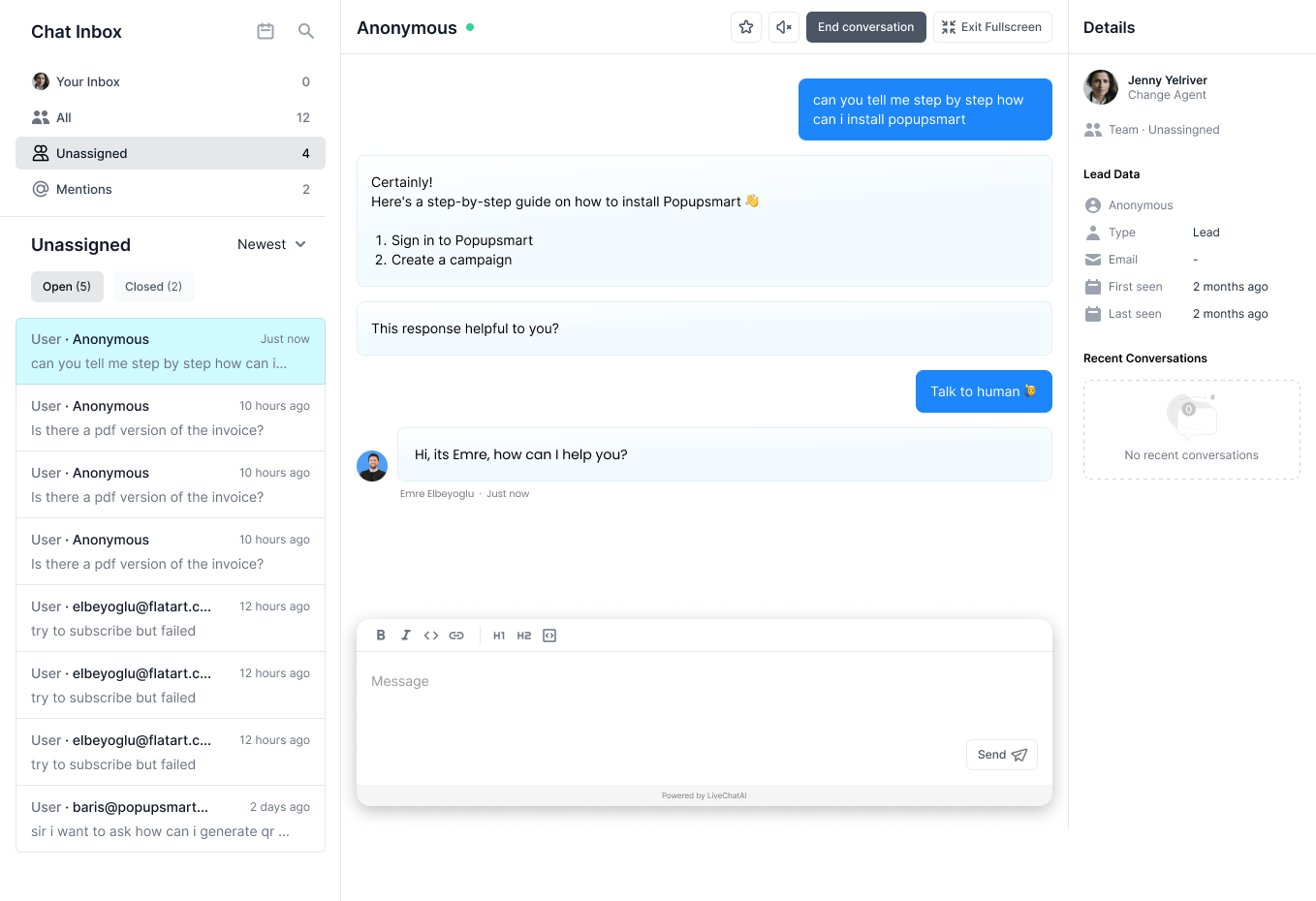
image attachment and new chat ui in Chat Inbox section in LiveChatAI

What’s New:

1. Full-Screen Chat UI:

  • Seamless Interactions: Engage in more immersive and focused conversations with a full-screen chat option.
  • User-Centric Design: Enhanced user experience with a clean, intuitive, and aesthetically pleasing design.
  • Minimize/Maximize Option: Users can toggle between a minimized and maximized view, enabling them to navigate with ease while chatting.

2. Rich Text Options with Image Attachments:

  • Visualize Conversations: Now, integrate images directly into your chat, making interactions more dynamic and visual.
  • Rich Text: Empower your messages with bold, italics, and other rich text options to convey messages with clarity and emphasis.
  • Enhanced User Engagement: Visually appealing chats to grab user attention and elevate engagement.
  1. AI-Driven Human Support Routing: Our chatbot now intelligently detects visitor intent from messages like "I need to talk to a human" or "chat with agent", and seamlessly routes them to human support.
  2. Agent Filter on Live Chat: Enhance your workflow with our newly integrated agent filter in the Live Chat.
  3. Async Crawling Optimization: We've improved the asynchronous crawling mechanism for data sources, ensuring faster and more efficient data retrieval.
  4. Workspace Customization: You now have the flexibility to rename your workspace with our 'Workspace Name Change Option'.

Introducing Free Tools 🎨✍️: We've rolled out a range of AI-powered tools to assist in visual representation and privacy documentation:


Enhancing the collaboration between AI and human agents, LiveChatAI introduces more streamlined Human Handoff Settings. The Chat Inbox & AI Chat History has been reorganized to allow for an effortless transition between AI and live support, ensuring that your customers always get the help they need.

LiveChatAI now supports the direct addition of custom questions and answers as a data source for training your AI chatbot. This new feature offers unparalleled flexibility, enabling you to create a more responsive and tailored chat experience for your customers. Whether it's FAQs or specific queries unique to your business, you can easily integrate them into the AI's knowledge base. Dive into this powerful tool and take your customer support to the next level! 🎉

This update allows for a more nuanced understanding of your specific business needs, making it an excellent addition to the suite of customization features already present in LiveChatAI
We are thrilled to announce that training the AI chatbot with your specific support content has become even more intuitive. You can easily add PDF content, custom text, and even your entire website or help center content to educate the bot. Tailor the AI Base Prompt Settings and GPT Model & Temperature to your needs for more precise and relevant answers.

LiveChatAI now offers more robust customization options for your Messenger and Chat widgets. Choose the alignment of the messenger, add teaser messages, and set specific working hours for displaying messenger on your website. You can even customize the full-page chat by editing the header, URL, and styling.